Nutrislice
- 4.1
- Rating
- 100.00K
- Installs
- Free
- Price

 Analysis by App-foxy
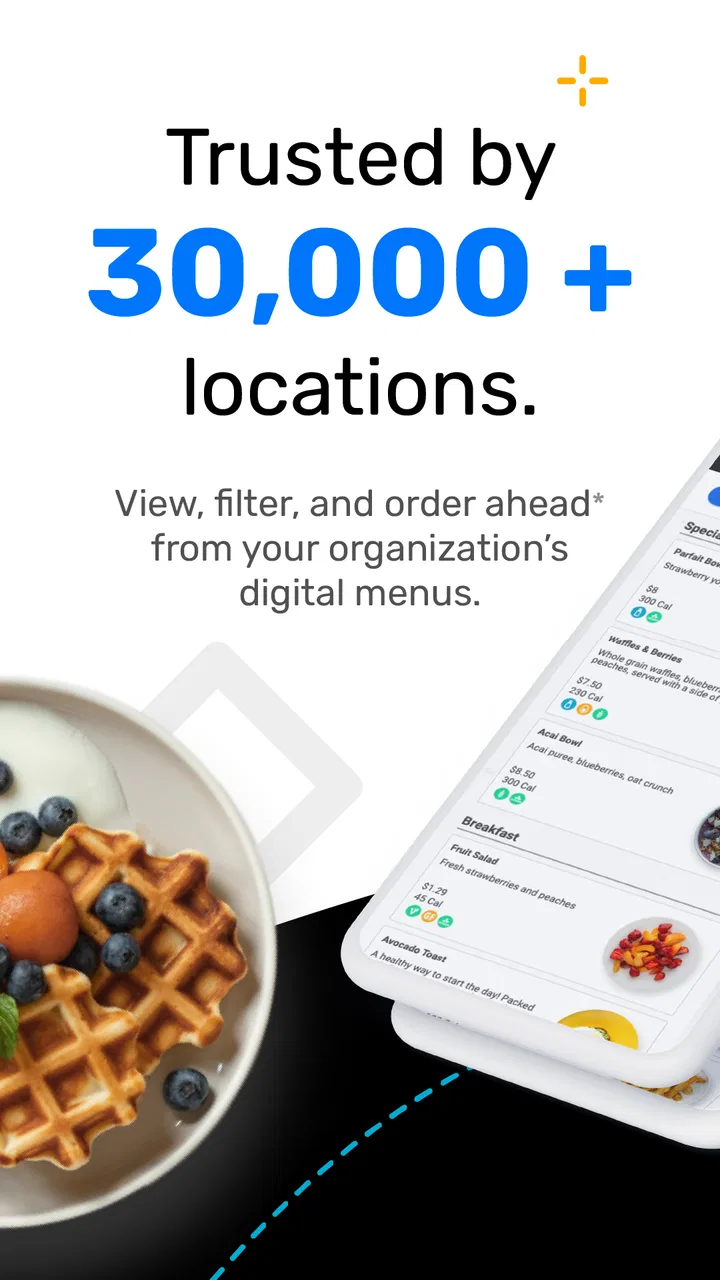
I first approached Nutrislice as a practical food-and-drink app rather than something I would open for entertainment. Its purpose is simple: help people find digital menus and, where supported, ordering options from participating locations. That sounds narrow, but it can remove a surprisingly annoying step from everyday planning—searching through scattered pages, outdated PDFs, or separate ordering systems just to find out what is available.
The app comes from Nutrislice, Inc. and is available free of charge for everyone. It has built a sizeable audience, with more than one hundred thousand installs and an average score of 4.1 from roughly fifteen hundred ratings. Those figures suggest a useful service with generally positive reception, although not a flawless experience for every location or user.
My overall impression is that this is most valuable when the organization you already use has adopted Nutrislice properly. It can be convenient for checking a menu before leaving home, comparing choices quickly, or placing an order without calling. It is much less useful as a universal restaurant finder, because its value depends on participating locations and on how carefully each location maintains its digital information.
You May Also Like

 Pandora - Music & Podcasts
Pandora’s Music Is Easy to Start, but Harder to Recover
Pandora’s strength is its low-effort path from a seed to a station. Its weak spot is how much confidence it asks you to place in connection, setup, and quiet recovery.

 AccuWeather: Weather Radar
AccuWeather Review: A Quick, Clear Forecast for Everyday Decisions
For everyday plans, the best forecast is the one you can understand quickly. AccuWeather makes rain timing, radar, and local conditions easy to act on, with a few trade-offs.

 Hill Climb Racing
Why Hill Climb Racing Still Turns Crashes Into One More Run
A tiny car, a bumpy hill and one more upgrade: Hill Climb Racing keeps resurfacing because its simple chaos makes every near-miss feel personal.

 AliExpress - Shopping App
AliExpress Makes Global Shopping Feel Personal, but Shoppers Bear the Risk
AliExpress turns a global marketplace into a pocket-sized discovery engine. Its reach is useful, its shopping loop compelling, and its trade-offs easy to miss.

 Lords Mobile: Kingdom Wars
Lords Mobile Is a Kingdom-Building Routine, Not a Quick Match
A case-by-case verdict on the building, battles, device demands, and social commitments that make Lords Mobile rewarding for some players and exhausting for others.

 PDF Scanner app - TapScanner
TapScanner Makes Paperwork Easier to Capture, Check, and Share
TapScanner makes scanning with a phone feel less like a rescue operation and more like a dependable step in getting work done. Its capture tools are useful, though not flawless.
More From Our News Desk
View All News


How Nutrislice fits into everyday food planning
I find Nutrislice most useful when a household shares responsibility for meals at a school, workplace, or other familiar dining location. One person can check the menu before the morning rush, then pass along the practical takeaway—whether buying lunch looks worthwhile or bringing food makes more sense. That small routine can prevent last-minute guesswork, and it sets up a closer look at how the app fits around different people’s needs.
A focused way to check menus before you arrive
The strongest part of the experience is the move from uncertainty to preparation. Instead of arriving and discovering that a favorite item is unavailable, I can use the app to look at the digital menu first. That matters in places where menus change regularly, such as schools, workplaces, campuses, hospitals, or other large organizations that serve food to a defined community.
In a typical weekday situation, I might be deciding whether to bring lunch or buy it on site. Opening Nutrislice lets me check the available choices before I leave, which is more useful than browsing a general food app that may show nearby restaurants but not the menu inside a particular institution. If ordering is enabled for that location, the same visit can also reduce the number of steps between choosing a meal and submitting the order.
I especially like the distinction between discovering a menu and ordering from it. Many food apps focus heavily on delivery or restaurant discovery. Nutrislice is better suited to an existing relationship with a location: I already know where I am going, and I want dependable access to that place’s menu. That makes it a practical companion for routine meals rather than a replacement for every food app on a phone.
The experience depends on the location behind the screen
There is an important trade-off here. Nutrislice is not creating the food information itself; the participating organization has to provide and maintain it. When a location keeps its menu current, the app can feel direct and efficient. When updates are late or details are incomplete, the app cannot fully solve the problem. I would therefore treat the digital menu as a useful planning tool, while still allowing for last-minute changes in busy food-service environments.
This dependency also explains why two people can have very different opinions about the same app. One user may have access to detailed menus and convenient ordering, while another may find only limited information for their local location. The app’s core technology can be consistent, but the quality of the content is tied to the organization using it.
Finding the right place is more important than browsing endlessly
My practical advice is to start with the location you actually care about instead of treating the app like a general-purpose search engine. If you are a student, employee, patient, parent, or visitor connected to a participating organization, look for that organization first. This approach makes the app’s structure work in your favor and avoids expecting it to behave like a broad restaurant marketplace.
That is also one of the less obvious strengths of the platform: it can bring menus from familiar places into one predictable digital workflow. The benefit is not necessarily discovering a new restaurant. It is reducing friction around a meal you were already considering.
Ordering can be useful, but it should not be assumed everywhere
The service is described as supporting both digital ordering and menus across thousands of locations, but the exact experience can vary by location. I would check what is available for the place I select before planning around an order-ahead routine. A menu may be accessible even when ordering is not, or ordering may follow rules set by the organization rather than by the app itself.
This is a key point for first-time users: installing Nutrislice does not automatically mean every nearby food provider will accept an order through it. Its usefulness begins when I find a participating location with the functions I need. For a quick menu check, that may be enough. For a time-sensitive pickup, I would confirm the available workflow before relying on it.
What the current version tells me about its evolution
The current version, 5.32, sits within a product history that began in 2013, so I see Nutrislice as an established tool rather than a new household organizer. For shared use, that distinction matters: I would treat it as a place to consult menus and available ordering, not as a family account system or a substitute for agreeing who is handling lunch. With that boundary clear, the next question is how reliably the app supports coordination in practice.
A long-running product with a current version of 5.32
Nutrislice was released on February 7, 2013, and its current version is 5.32. That combination tells me this is not a new experiment built around a short-lived food trend. It has had a long product life and has continued to move through version updates. I would not interpret the version number alone as proof that every part of the app has been redesigned, but it does show an ongoing software history rather than a one-off menu viewer.
The app supports Android devices running version 5.0 or later, which gives it broad compatibility with older hardware. That can matter in schools, workplaces, and shared communities where users may not all have recent phones. At the same time, people using older devices should keep their expectations realistic: compatibility means the app can run, not that every newer interface improvement will feel equally smooth on every phone.
What has likely improved for people who already use it
For existing users, the most meaningful evolution is not simply a new icon or a changed screen. It is the continued attempt to make menus and ordering available through a single mobile entry point. A mature app can be more valuable when it reduces repeated work: checking one place for a menu, returning to a familiar location, and using the same general process instead of learning a separate system each time.
That consistency is particularly helpful for people who use the same cafeteria or food-service location several times a week. Once I know where my preferred location appears, the app becomes less about exploration and more about routine. I can check the menu during a break, plan around the available options, and avoid opening several different pages to find the same information.
Still, I would separate the evidence of continued development from assumptions about specific changes. The version history indicates an evolving product, but it does not by itself guarantee that every feature has become faster, that every menu is more complete, or that every location offers identical tools. Those outcomes depend on both the app and the organization supplying the content.
Why the age of the app matters in a practical way
A product with a long presence in the food-service space has had time to fit into institutional routines. That can be an advantage over a brand-new app that looks polished but is not yet familiar to the places people rely on. The downside is that established systems sometimes carry older habits or uneven experiences between locations. I noticed that the right question is not simply whether the app is modern-looking, but whether it makes my particular food routine easier.
For someone choosing between Nutrislice and a venue’s own website, I would compare convenience rather than assuming one is always superior. The app may be faster for repeated checks, especially if the location is already easy to reach inside it. The website may still be preferable when I need broader institutional information or when the location’s mobile setup feels incomplete.
How the rating should shape expectations
An average rating of 4.1 is encouraging without suggesting universal satisfaction. I read that as a sign that many users find a real benefit, balanced by predictable frustrations around availability, menu accuracy, or location-specific behavior. The review volume—around six hundred written reviews—also suggests that people have enough experience with the app to identify both its convenience and its rough edges.
I would not install it expecting a perfect restaurant-ordering experience. I would install it because the organization I use appears to rely on Nutrislice and because checking its menus or ordering digitally could save me time. That is a narrower promise, but it is a more honest one.
What changes mean for someone who already has the app
If I were a longtime user, I would pay attention to whether updates make recurring actions easier rather than focusing only on visible redesigns. Can I reach my usual location quickly? Are menus clear enough to make a decision? Does the ordering process match what the location actually offers? These are the changes that affect daily usefulness.
I would also keep the app updated when possible, especially on an older Android phone. The minimum operating-system requirement is Android 5.0, so the app is accessible to a wide range of devices, but an older phone may still have slower loading or less comfortable navigation. If the app becomes inconvenient on a particular device, the location’s web-based option may be a sensible backup rather than abandoning the service entirely.
Three practical habits that improve the experience
Check the selected location before making a meal plan. A familiar organization may have several dining areas, and choosing the wrong one can make the app appear less useful than it really is.
Use the menu as a planning aid, not an absolute guarantee. Food-service availability can change, so leave room for substitutions when the meal matters.
For an urgent order, confirm the ordering path and timing inside the selected location before walking over. Menu access and order submission are related, but they are not necessarily the same experience everywhere.
These habits sound simple, but they address the main source of frustration: expecting a location-specific service to behave like a universal, fully standardized marketplace.
Where the app still falls short
The main friction I would plan around is that a digital menu is only as dependable as the participating location’s information and workflow. If two people are coordinating a meal, I would have one person verify the selected location and menu before the other relies on it, especially when timing or dietary needs matter. That keeps the app useful without asking it to do more than it is designed for, and it leads to the situations where another option may be wiser.
It is not the best choice for broad restaurant discovery
If my goal is to find independent restaurants, compare delivery fees, read extensive dining reviews, or browse a wide neighborhood map, I would choose a general food-discovery app instead. Nutrislice is more focused on digital menus and ordering at participating locations. Its strength is depth within that relationship, not breadth across every possible place to eat.
This distinction also affects travelers. If I am visiting a new city and do not have a connection to a school, workplace, campus, or other participating organization, the app may not be central to my trip. A conventional map or restaurant app will usually be more useful for discovering what is nearby. Nutrislice becomes compelling when I know that a particular organization uses it.
Menu quality can be uneven
The biggest limitation is the human and operational work behind the menu. If descriptions, availability, or ordering details are not maintained carefully, I may still need to ask staff for clarification. That is especially relevant when I am planning around dietary preferences or trying to avoid a particular ingredient. I would use the information available in the app as a helpful starting point, but I would not treat a digital listing as a substitute for direct confirmation when the consequences of an error are serious.
This is not a criticism of the idea of digital menus; it is a reminder that the app cannot make incomplete source information complete. The more specialized my needs are, the more important it becomes to verify details through the location’s own staff or guidance.
Free does not mean frictionless
Because the app costs nothing to download, it is easy to try without much risk. However, free access does not remove every practical inconvenience. I may still encounter a location that is hard to identify, a menu that is less detailed than expected, or an ordering process shaped by local rules. The app can save time when the participating location has a well-organized setup, but it cannot guarantee that every organization uses the platform with the same level of care.
I also would not judge it solely by how attractive the first screen looks. For this kind of tool, the important test is whether I can complete a real task quickly: identify the correct location, read the relevant menu, and understand what action is available next. A visually polished interface would not compensate for missing or stale information.
Who should use it and who should skip it
I recommend Nutrislice to people who regularly eat at a participating institution and want a faster way to check menus. It is a particularly sensible choice for families planning around school meals, employees checking workplace dining options, and users who prefer to decide before reaching a busy counter. It can also suit anyone who wants one familiar place for recurring menu checks instead of relying on printed notices.
I would skip it if I mainly want restaurant discovery, broad delivery comparisons, or a full social dining experience. I would also be cautious if I need highly detailed dietary information and the selected location does not publish enough detail to support confident decisions. In that case, a direct conversation with the food provider or a more specialized dietary resource may be better.
Questions I would ask before relying on it
The first question is whether my specific location participates in the way I need. I would search for the organization and inspect the available menu rather than assuming that installation alone unlocks ordering. The second is whether the menu is detailed and current enough for my routine. A quick check over several days can reveal whether the information is dependable.
The third question is whether my phone is suitable. The app supports Android 5.0 and newer, so many older devices can use it, but practical performance still depends on the hardware. If I use an older phone, I would test the app during a calm moment rather than waiting until I am standing in a queue.
The fourth is whether Nutrislice is better than the usual alternative for me. If the organization’s website already offers a clearer menu and I only check it once a month, the app may not add much. If I check the same location repeatedly or can order through it, the convenience becomes much more convincing.
My final view on Nutrislice
After looking at the app as a daily tool rather than a generic food platform, I see a clear purpose. Nutrislice brings menus and, where enabled, digital ordering closer to the people who already use particular food-service locations. It is not trying to replace every restaurant app, and it should not be judged by that standard.
Its best use is wonderfully ordinary: I want to know what is being served before I leave, decide whether it suits me, and possibly order through the same place. When the participating organization keeps its information current, that workflow can be genuinely convenient. The long-running product history, current version 5.32, and broad Android compatibility make it a reasonable option for established users as well as newcomers.
My reservation is equally straightforward. The app’s usefulness can vary sharply from one location to another, and menu information should not be treated as infallible when dietary or timing decisions matter. I would keep another way to contact the food provider available for important questions, and I would not install Nutrislice solely because I want to explore restaurants in general.
My recommendation is conditional but positive: if your school, workplace, campus, hospital, or other familiar food location uses Nutrislice, it is worth trying because the free app may turn a repetitive menu search into a quick routine. If your needs are broader than that, a traditional restaurant and delivery app will probably serve you better.
Looking ahead, I would watch how consistently participating locations maintain their menus and how smoothly the app handles the small repeat actions that matter most. Those details—not a flashy feature list—will decide whether Nutrislice remains merely a menu directory or becomes a dependable part of everyday meal planning.
FAQs for Nutrislice
01What is Nutrislice and what can I use it for?
Nutrislice is a digital food-service platform that helps schools, universities, workplaces, and other organizations publish menus and nutrition information online. Depending on the institution using it, the app may let you browse meals by date, view ingredients and allergens, check nutrition facts, find nearby dining locations, and sometimes place orders or provide feedback. Available features can vary by organization.
02Does Nutrislice show allergens and detailed nutrition information?
In many cases, Nutrislice displays nutrition details such as calories, carbohydrates, protein, fat, and ingredient lists for menu items. It may also identify common allergens, dietary tags, or special options such as vegetarian meals. However, the accuracy and completeness of this information depend on the organization supplying the menu data, so users with serious allergies should always confirm ingredients directly with food-service staff.
03Can I order food or make payments through Nutrislice?
Some Nutrislice implementations support online ordering, meal selection, pickup details, or payment-related features, while others are limited to displaying menus and nutrition information. What you can do depends on the school, campus, workplace, or restaurant connected to your account. Before downloading, check whether your organization is supported and whether ordering, account creation, or payment services are enabled in your area.
04Do I need an account to use Nutrislice?
An account is not always required to browse menus, because many organizations allow visitors to view public dining information without signing in. However, an account may be necessary for features such as placing orders, saving preferences, receiving notifications, managing dietary settings, or accessing institution-specific services. Registration requirements can differ, so the app experience may not be identical for every user.
05Is Nutrislice free to download and available on Android and iOS?
Nutrislice is generally available as a free download for supported Android and iOS devices, although the services offered inside the app depend on the organization that publishes the menus. Downloading the application does not necessarily mean every feature is available everywhere. Check your device’s official app store for compatibility, current requirements, privacy details, and confirmation that your institution or dining provider is listed.
Pros
- Menus are easy to browse by school
- location
- or meal period.
- Nutrition details help users compare calories and dietary information.
- Allergen labels make it easier to identify potentially unsafe foods.
- Menu updates can reflect daily changes and item availability.
- The interface is generally simple for students and families to use.
Cons
- Coverage depends on whether the local school or organization uses Nutrislice.
- Nutrition information may be incomplete or vary between menu items.
- Some menus can load slowly when connections are weak.
- Dietary labels should be verified
- as recipes and ingredients may change.
- The app is less useful outside participating schools and institutions.

Nutrislice
Gallery